Ask after the support is finished
Enable feedback requests and choose the delay for email invitations after resolution. Customers can give one to five stars and an optional comment through the chat or a feedback link.

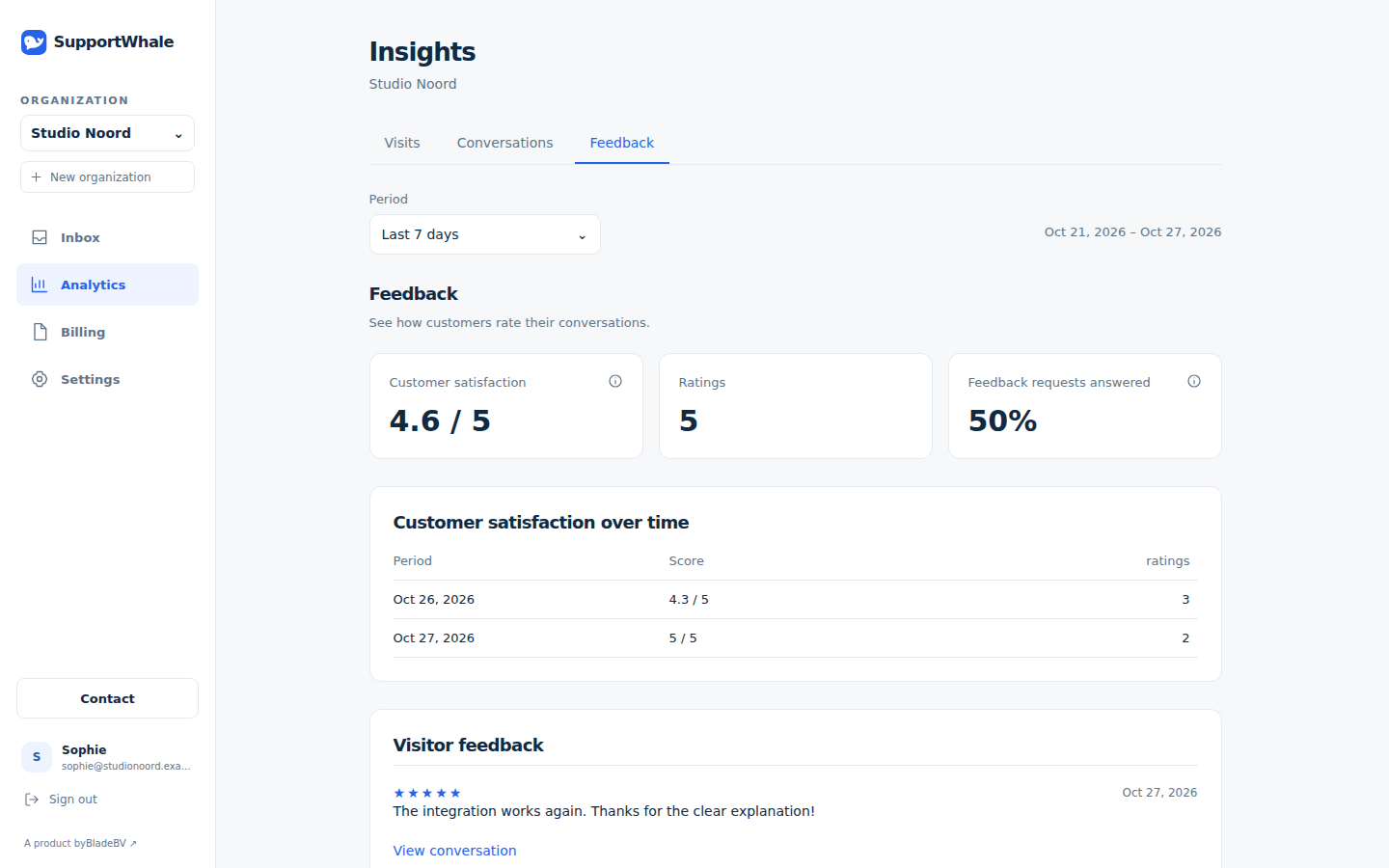
Ask customers to rate an answered, resolved conversation and leave a comment. See the rating alongside their words, then open the conversation to understand what went well or needs follow-up.
Enable feedback requests and choose the delay for email invitations after resolution. Customers can give one to five stars and an optional comment through the chat or a feedback link.
See the average rating, number of responses, response rate and trend. Comments add context to the numbers, so your team can learn from both positive and difficult experiences.
Open the linked conversation from a feedback entry. Review what happened before deciding whether to follow up with the customer or improve how the team handles a similar question.
A closed conversation does not explain the whole experience. A rating and comment can give your team a reason to look again.
Set up feedback and understand the results →Choose when the email invitation follows an answered, closed conversation. Giving a rating and comment is up to the customer.
Review the comment and open the original conversation for the context behind it.
Decide whether a personal follow-up, clearer instructions or a change in your support process would help.
Customer feedback becomes something your team can use in its next conversation.
Start free with your team, analytics and customer feedback. Discover what helps your support improve.
Compare plans →